

Mnemosyne Find the reason behind it, not just the file.

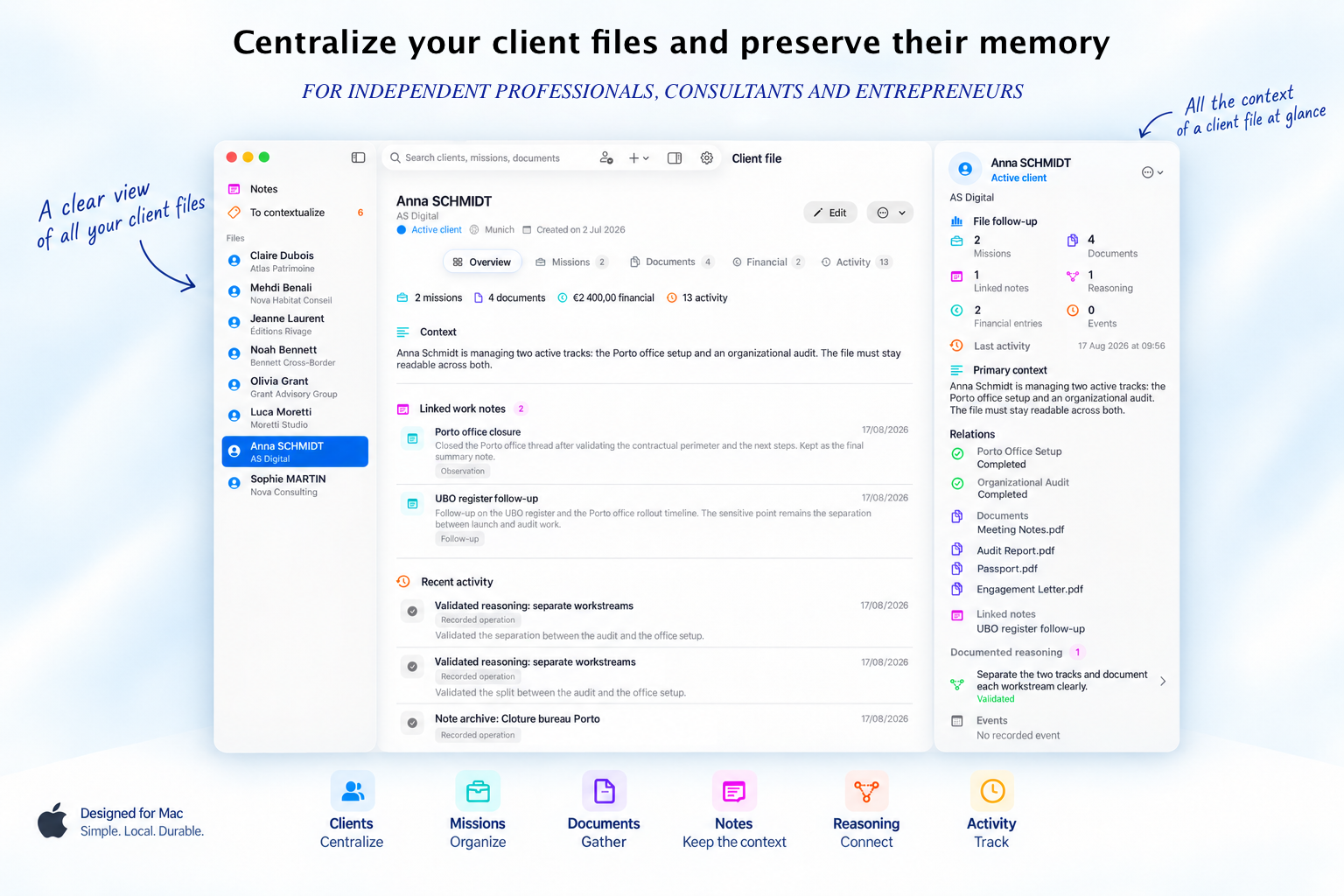
Organized work. The context has been preserved.
Mnemosyne links clients, files, assignments, documents, and notes together instead of letting them exist as isolated elements.
Version 1.3 laid the foundation: context, relationships, working notes, factual activity, local search, and deterministic rendering. Version 1.4 builds directly on this foundation to make this context transferable.
Clients, assignments, and documents remain linked to the circumstances that gave rise to them.
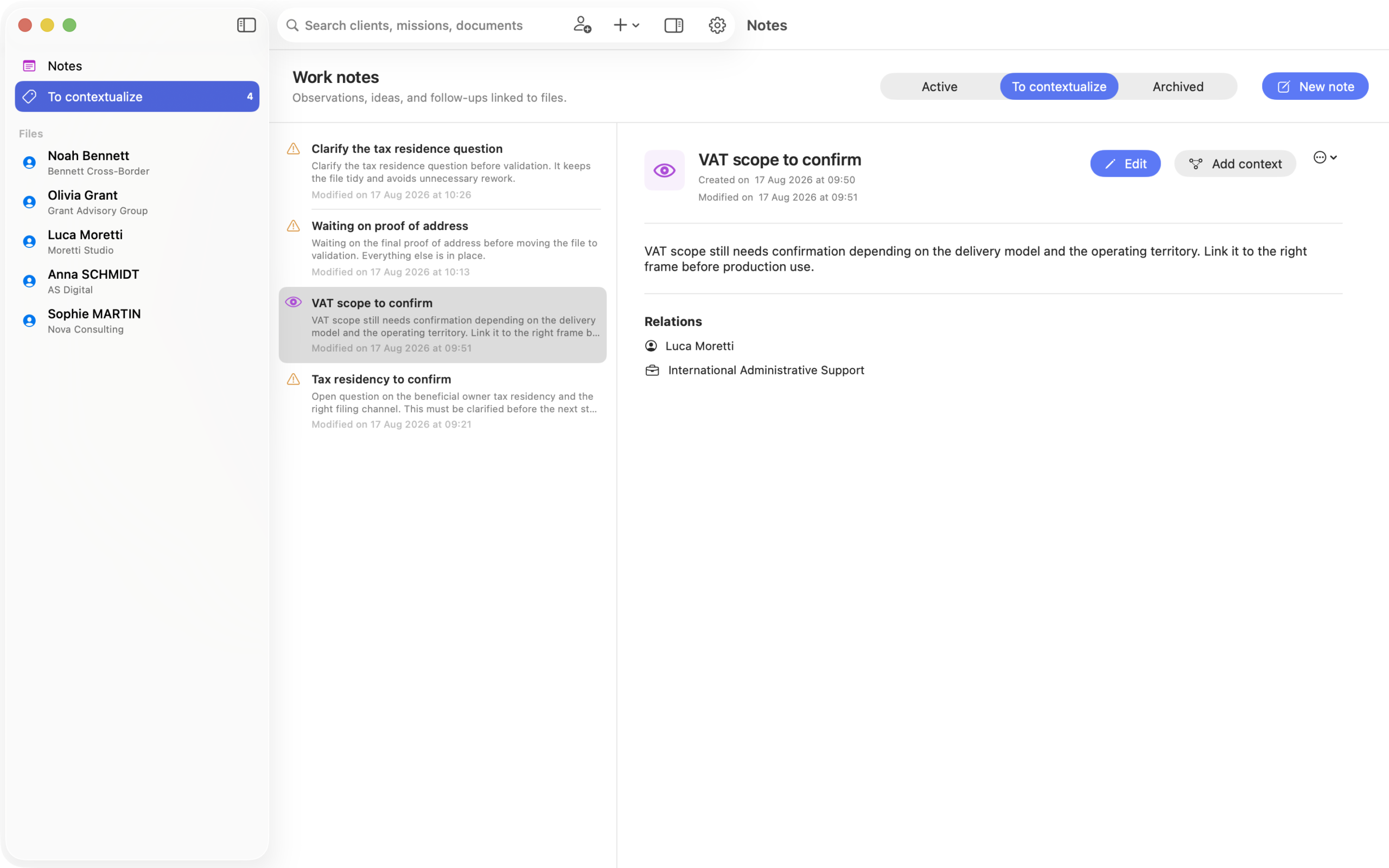
Ideas, observations, and points to watch for remain linked to the correct file rather than getting lost in isolated notes.
The traces of the work remain visible in the order in which they occurred.
Context preserved. In the context provided.
Mnemosyne 1.4 introduces Context Folders. From within a client or assignment, you can select the context, notes, reasoning, events, and documents you want to share.
Mnemosyne compiles them into a professional document that you can preview, export, or print. You retain full control over the selection: no documents are added automatically, and no text is rewritten by artificial intelligence.
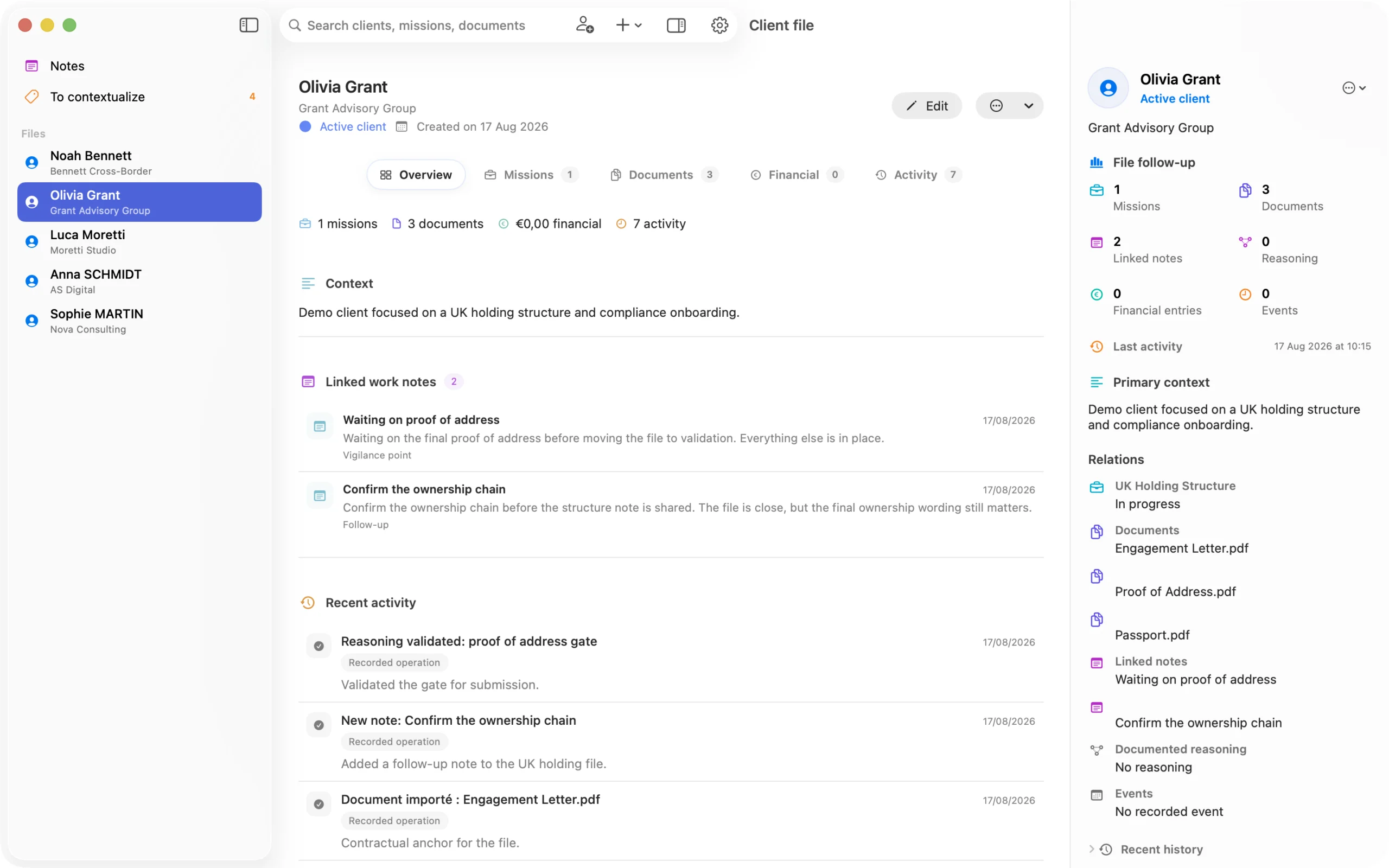
Understand a case in just a few seconds.
Mnemosyne uses hierarchy, color, and context to help users quickly identify the nature of information without turning the app into a dashboard.
About the Organization In memory of labor.
Version 1.5 will build on the foundation laid in V1.3 and the retrieval capability introduced in V1.4. It will add a deeper layer of storage to the existing files, notes, decisions, and documents.
Existing data will remain in place: Version 1.5 will enhance it with more structured memory objects.
Mnemosyne operates without AI. Clara will later contribute to this memoir.
Clara is not available in version 1.4 of Mnemosyne. It is a future feature that is separate from the product currently on the market.
Eventually, it will be able to help you query and cross-reference information already organized in Mnemosyne, without modifying or validating the data for you.
A future memory access interface.
Clara's intended role is to help users retrieve, connect, clarify, and recall the information already stored in their professional memory.
This section describes a future product direction. It does not represent a feature available in version 1.4, and Clara is not included in the current purchase of Mnemosyne.
Rediscover the "why,", not just the file.
Professional software can store files, clients, and tasks. But over time, it becomes difficult to recall the reasons behind a decision, the context of a document, or what was said during a conversation.
Mnemosyne is designed to preserve this continuity. The document remains important, but it is no longer isolated from the reasoning, notes, and events that give it meaning. With version 1.4, this context can also be prepared and shared without having to reconstruct the file.
Your professional thesis,
on your Mac.
A professional note-taking app for macOS designed to preserve the context of your work and share it when you need to resume or share it. The V1 license includes the current version 1.4 and updates for the V1 generation, including version 1.5.
& Intel
up to 2 Macs
English
Take Your Management Skills to the Next Level and the storage capacity of your folders.
Practical guides and comparisons to help you choose an organization system that suits your business, understand the difference between management and professional memory, and better organize your client files on a Mac.
Customer File Management Software for Mac
Useful criteria for centralizing clients, projects, documents, notes, and context without turning your business into a complex system.
Read the guide →How can I find the context of a client file?
A method for resuming work on an old case without having to reconstruct several months' worth of decisions, notes, and documents.
Read the guide →CRM or customer file tracking software?
Two categories of tools for two different needs: managing business relationships or ensuring the continuity of client work.
Compare uses →Mnemosyne vs. Notion for Independent Consultants
Build your own workflow system or use an architecture designed to preserve files, decisions, reasoning, and chronology.
See the comparison →
